 WebKeeper
Free 30-day trial for agencies & freelancers
Know when a client site needs you.
WebKeeper keeps watch over the websites and domains you look after: uptime and response times, certificates, domain expiry and DNS changes, with a daily screenshot of every site. And it keeps who’s responsible right beside each one.
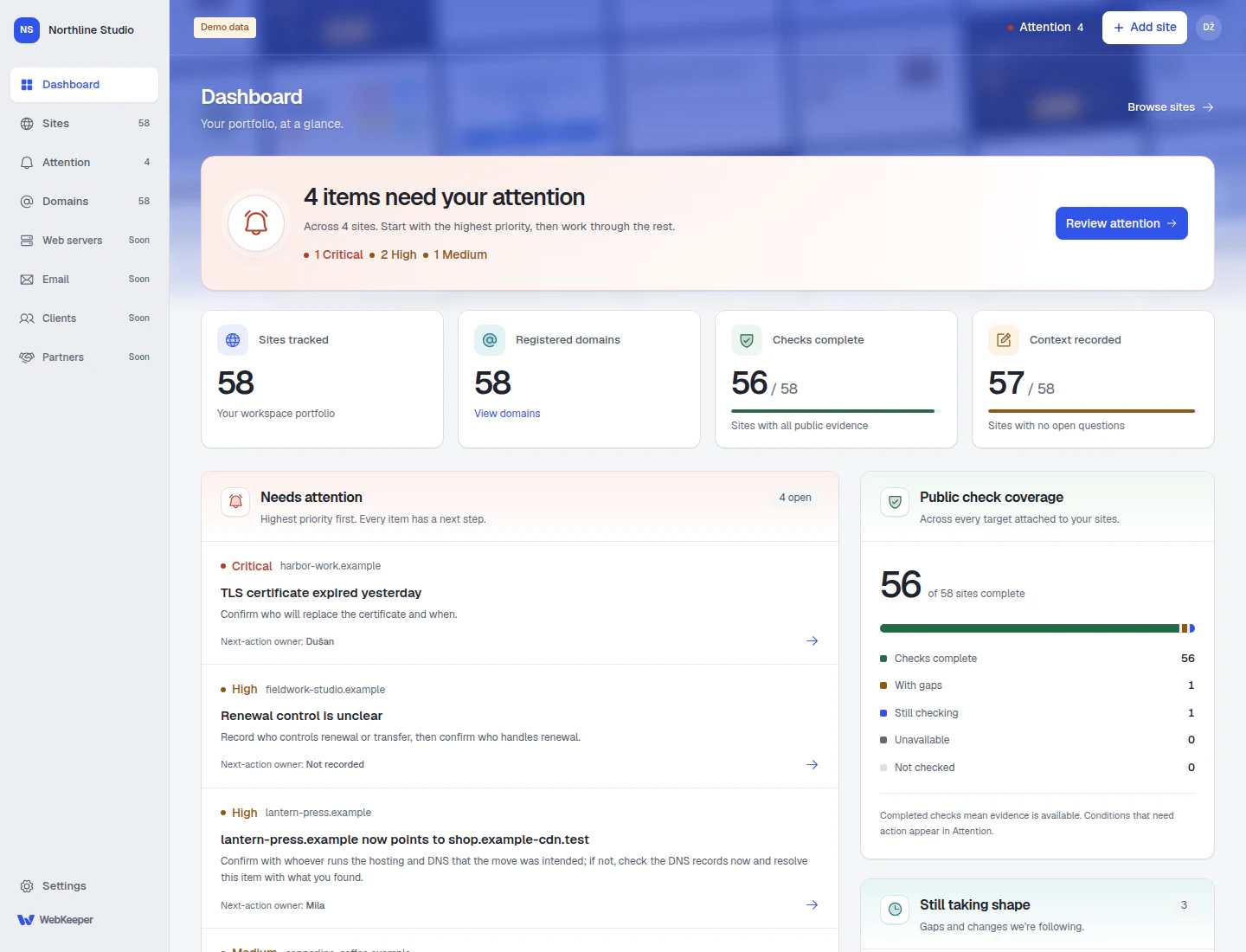
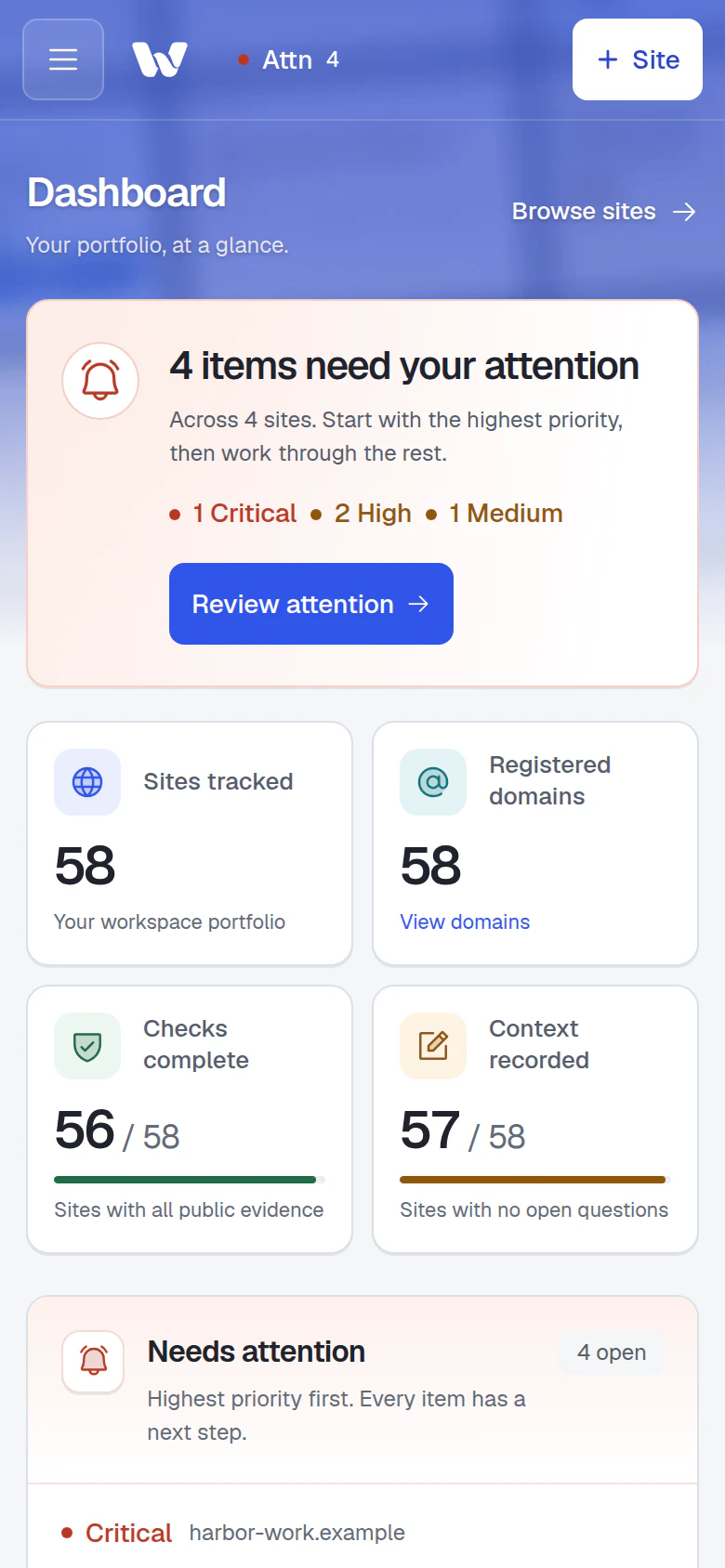
Real product screens. Fictional businesses and demo data.
Paste a list of domains to start
No plugins, agents or provider logins
One shared view for your whole team
The site is in one dashboard.
The answer is in someone’s head.
A registrar login here. A client spreadsheet there. That one colleague who remembers the arrangement. WebKeeper gives that knowledge a shared home, with current evidence beside it.
- “Is this still our responsibility?”
- “Who has the registrar account?”
- “Did anyone change the DNS?”
Monitoring
Every site at a glance.
Every response on record.
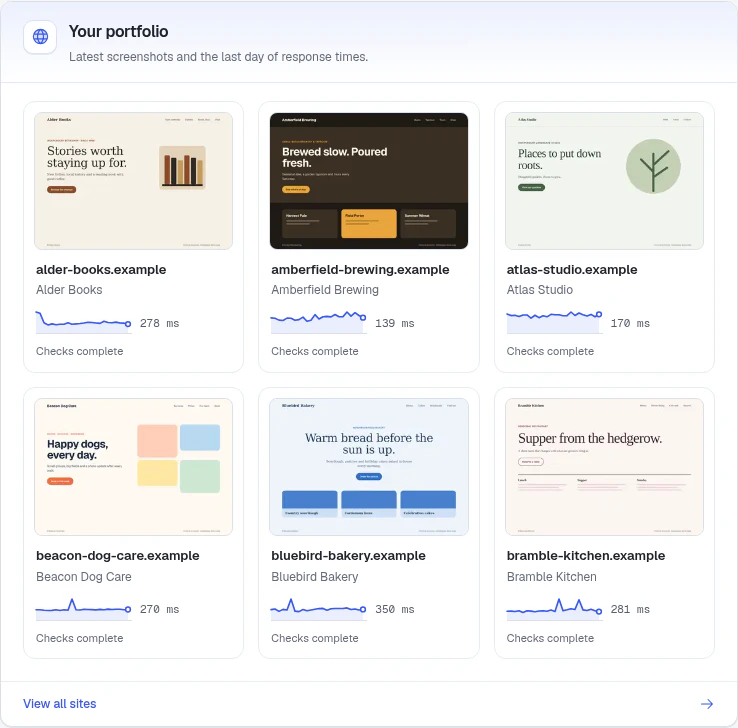
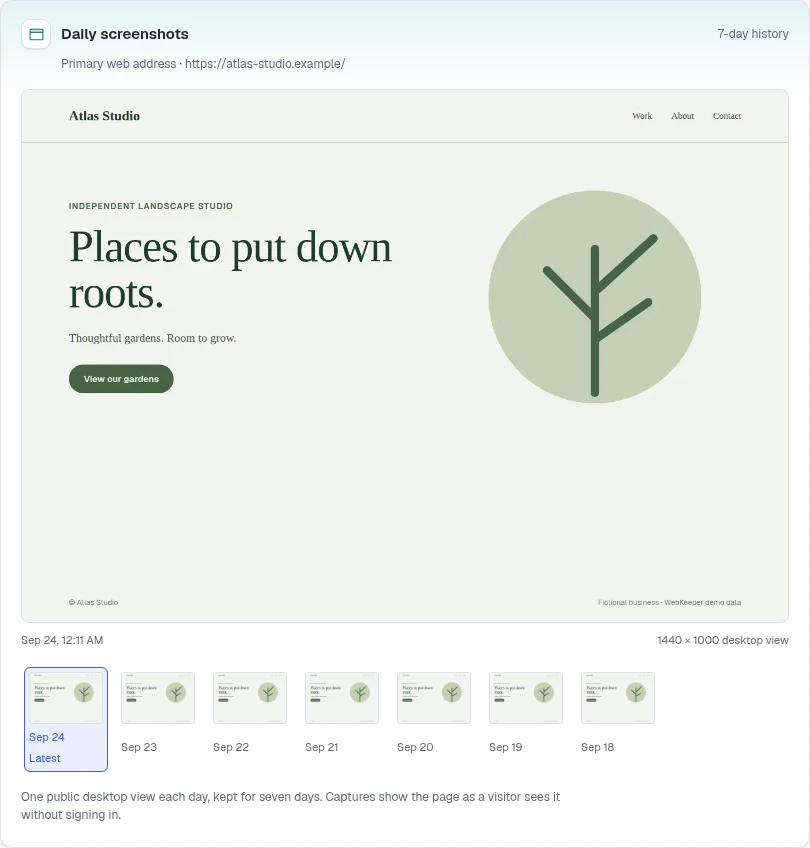
See the whole portfolio as it looks today: the latest screenshot and a day of response times for each site. Open one for 30 days of history and a week of daily screenshots.
- Hourly, or every minute
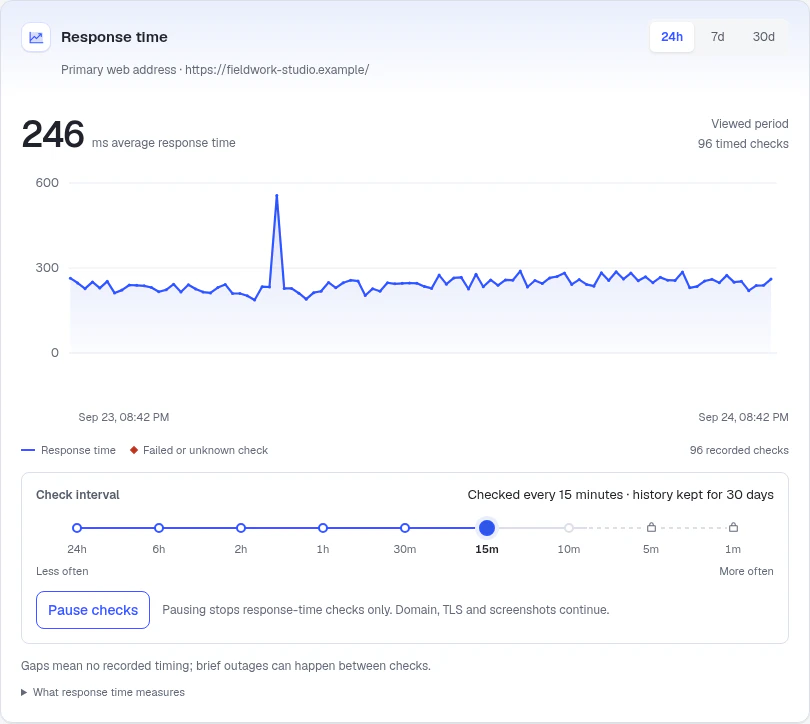
- Pick each site’s check interval. Faster checks come with Business and First Class.
- 30 days of history
- Response times and failed checks over 24 hours, 7 or 30 days.
- A daily screenshot
- See how each landing page looked on each of the last seven days.
- Pause for planned work
- Pausing stops website checks only. Domain, certificate and screenshot checks carry on.
Attention
One short list of what needs you.
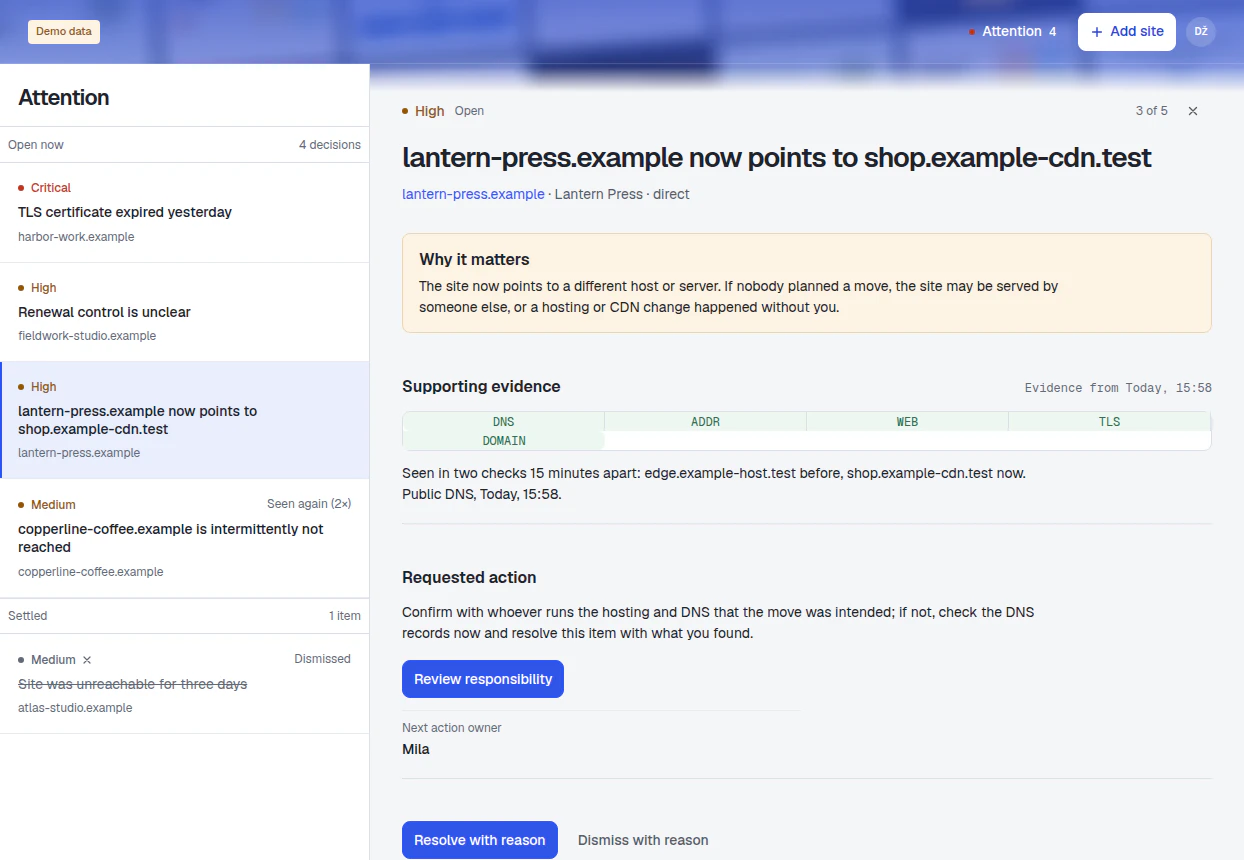
Open WebKeeper to the few things that need a decision, ordered by severity. Each one explains what was seen, why it matters and who should act.
- A site stops answering. A failed check or a server error opens an item at once and settles when the site answers again.
- A site moves. A new server or CDN, nameserver, registrar or redirect shows up when first seen, and a later check confirms it.
- Something is about to expire. Certificates and domain registrations, well before the date.
Attention is shown in the app. Email notifications are planned.
Responsibility
Make “who owns this?” a quick answer.
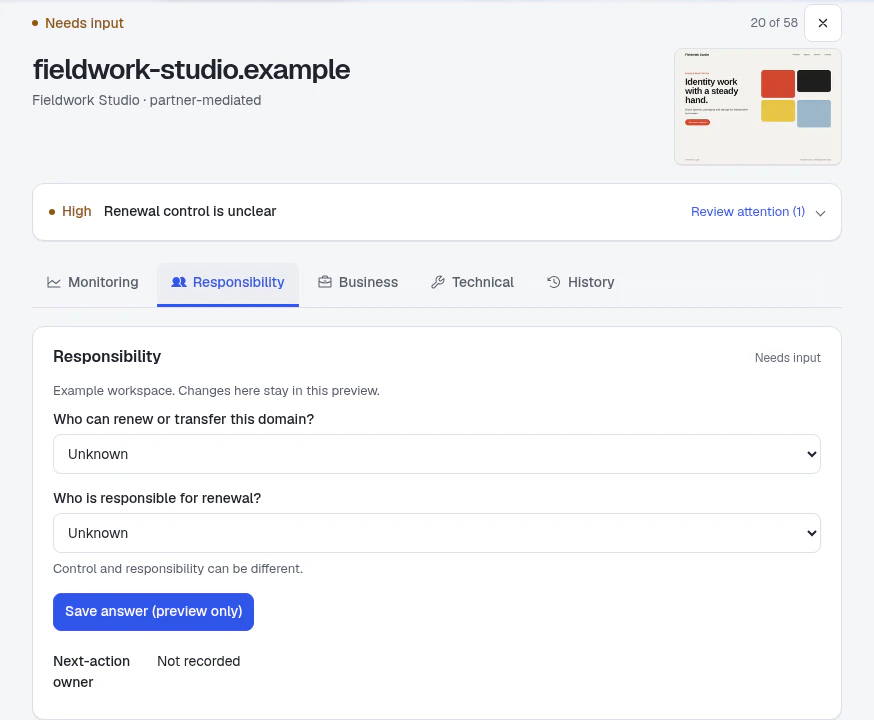
The client, the person with registrar access and the person handling renewal can all be different people. Record each answer separately, so your team knows who to ask and who should act.
Invite your team into the same workspace, set shared defaults and keep unanswered questions visible until someone confirms them.
Technical detail
The technical details, in the client’s context.
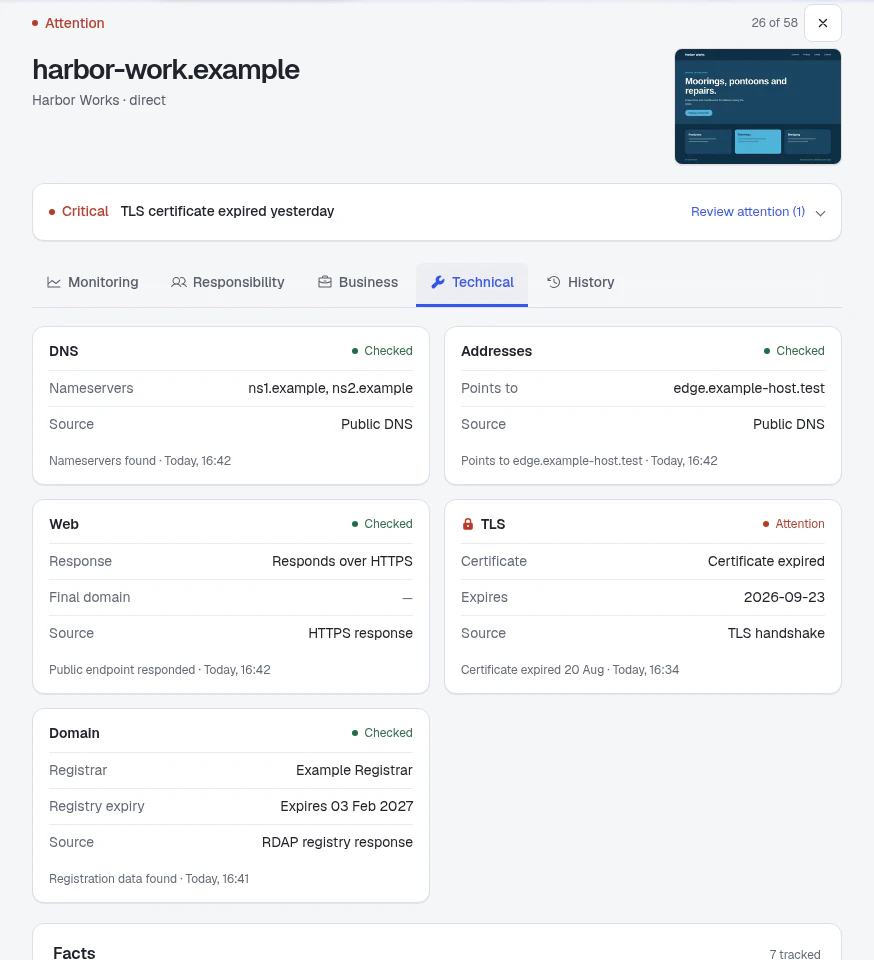
Where a site points, which DNS provider answers, when the certificate and registration run out. Every observation comes with a source and a time, and anything unknown stays clearly marked.
Useful for a routine review, a handover or finding out what changed.
Plans
Choose how closely you watch.
Every plan includes the same monitoring, screenshots, attention and responsibility tools. They differ in how often websites are checked.
Economy
Every hourEvery site checked hourly. Every new workspace starts here.
Business
Down to 10 minutesCheck up to 10 sites as often as every 10 minutes.
First Class
Down to 1 minuteCheck up to 50 sites as often as every minute.
Prices will be announced before anyone is charged. Start with a free 30-day Economy trial; no credit card needed.
Getting started
From a list of domains to a shared picture.
- 1
Paste your sites
Domains, URLs or a column from your spreadsheet. Review before adding.
- 2
Watch the checks arrive
DNS, website, certificate and domain results land within minutes.
- 3
Record who’s responsible
Client, domain control, renewal and next-action owner.
- 4
Work the list
Resolve or dismiss each item with a reason your team can see.
A website launch is a milestone. Looking after the domain, remembering the arrangements and handing it over clearly is ongoing work. That is the work I’m building WebKeeper for.
Dušan, founder · hello@webkeeper.io
A few things
you might be wondering.
Something else on your mind?
Get in touch.

A 30-day trial with your real client portfolio.
Every client site.
One shared picture.
Free for 30 days. Up to 100 sites and five people, including you.
No credit card needed. How signup works.